
7/17/2013 03:00:00 AM

Jsc Jwhat Jerome Christopher
, Posted in
Browsers
,
Chrome
,
Download This
,
Font Tools
,
Linux
,
Online wordart creator
,
Puppy Linux
,
Sqlhtm Tools
,
Unix
,
Windows XP

 |
| @FONT-FACE CSS AT-RULE. |
[Disclaimer: The gen-fonts.sh shell script using CSS @font-face was tested on Chromium[12.0.742.112 ] and Opera[11.60] browsers on Puppy Lucid5.1 Linux. Check if your OS and your browser support it to make sure.]
GET THE SAME LOOK EVERYWHERE WITH @FONT-FACE. GUARANTEED!
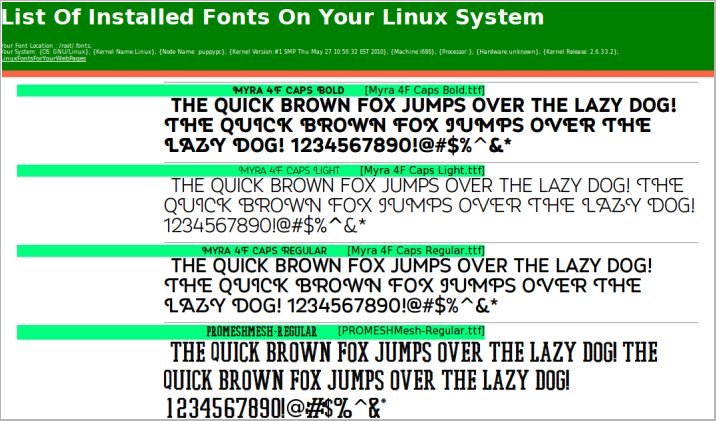
Even if someone had the worst website in the world, people might still flock to that site if only it had a great-looking font scheme. However simple or sparse that website, if it had a clean font scheme and used plenty of white space in a smart way, it could still make a lot of people visit often. The white color has the amazing quality of bringing out the real character of any and every font especially at higher sizes. In the old days it was so easy to just get by with some basic fonts and the header and paragraph tags. Not so anymore. The web has grown as if on steroids over the past decade and things are not simple anymore. While configuring a good font for your website with the @font-face css rule may look complex and cumbersome, it doesn't have to be so. Definitely not if you choose to use the simple scheme described in this article. I have been using Puppy Lucid Linux5.1 for over a year now and I have come up with a shell script which discovers and displays all installed fonts on a Linux system by dynamically generating code for the @font-face rules in the style block in the header and also the code for the body text in a webpage you can view with your browser. It may even show you the simplest way to use @font-face rules in your own webpages to make sure anyone and everyone in the whole wide world would see the same font display!
 |
| Sample wordart with Font3dTemplates |
NOW YOU SEE, NOW YOU DON'T
Don't you hate it when the text and image editors on your Linux system can display all installed fonts correctly but your web pages can't? It happened a lot to me on my Puppy Lucid Linux5.1 and that's the reason for this article. Even after I installed the fonts correctly and used body text with font-family in the tags, it still wouldn't show all fonts! If you guessed not using @font-face in the stylesheet with font-family and physical file location as the reason, you are web smart! And once I did it, it was like going digging and finding gold. All fonts sprang to life so spectacularly I couldn't believe my eyes!
FONT LOCATIONS AND INSTALLATION ON A LINUX SYSTEM
PUPPY LUCID5.1 LINUX
Step 1: Copy the ttf or other font files to /root/.fonts directory. You may also copy the true type fonts to the /usr/share/fonts/default/TTF directory.
Step 2: Run the fc-cache command to cache the fonts.
fc-cache -fv
Step 3: Restart your browser for changes to take effect.
OTHER LINUX FLAVORS [MAY VARY]
Step 1: Download and copy the true type font files to /usr/share/fonts/default/TTF directory.
Step 2: Restart your browser for changes to take effect.
NOTE 1. Soft Links
You may also keep the font files at any directory and create soft links to font locations like this:
ln -s /your-font-directory/your-font.ttf /root/.fonts
or
ln -s /your-font-directory/your-font.ttf /usr/share/fonts/default/TTF
NOTE 2. Puppy Linux Font Locations
I'm not sure, but the following information probably comes from the Puppy Linux documentation or the helpful puppy forums.
fc-cache -fv command caches fonts from these directories and cleans some of them at the end.
/root/.fonts
/usr/share/fonts
/usr/share/fonts/default
/usr/share/fonts/default/TTF
/usr/share/fonts/default/Type1
/usr/share/fonts/truetype
/usr/share/fonts/truetype/ttf-liberation
/usr/share/X11/fonts
/usr/share/X11/fonts/TTF
/usr/share/X11/fonts/Type1
/usr/share/X11/fonts/misc
NOTE 3. Script And Fontlist Webpage Speed
The script script runs fast. The webpage fontlist may be fast or slow THE FIRST TIME depending on the number of fonts in the font directory.
NOTE 4. Treasure-hunt Your Font Directories
Try running the script on all the directories returned by running the command
fc-cache -fv. Trace soft links to their source files if needed.
NOTE 5. As Few Fonts As Possible
Use only the minimum-required number of fonts at your website as it may become unbearably resource-hungry.
SHELL SCRIPT TO GENERATE AND VIEW ALL INSTALLED FONTS ON YOUR LINUX SYSTEM [gen-fonts.sh]
Okay, so we now know how to install fonts on Puppy and other Linux systems. Let us go ahead and see how to use the @font-face rule in your embedded style sheet. First we will get the font location and loop to read one font at a time to generate the @font-face code in the head section and then we will loop one more time to create the code, this time for the anchor or paragraph tags inside the body of the web page.
The script below combines both steps to dynamically produce the list of all installed fonts on your Linux system in a web page.
INSTALLATION OF THE SCRIPT
GUI
2.Change the first 2 lines of the script for font directory and the browser string
3.With a file manager like ROX-filer, right-click on the gen-fonts.sh file, and check the 3 boxes at the end to make all 3 executable
4.Click on the script to generate and view the list of installed fonts in your system.
COMMAND LINE
2.Change the first 2 lines of the script for font directory and the browser string
3.Open up a terminal and type cd /tmp; chmod 755 gen-fonts.sh
4.Type ./gen-fonts.sh to run and view the installed fonts in a html file
ADAPTING THE SCRIPT FOR USE IN WEBSITES ONLINE
- First, copy your font files to a directory on your server, such as public-html/fonts or www/fonts, both of which point to the same location.
- Second, taking the code below as a sample , create @font-face rules for every font in the style block of the header. Eg.
<head><style>
@font-face {font-family:'Bigfish'; src:url('fonts/Bigfish.ttf'); }
</style></head>
- To end, put your text within tags such as "a" or "p" in the body. Eg.
<a class="btxt" href="">List Of Installed Fonts On Your Linux System</a>
Simple sample page using @font-face for your website page
<html>
<head>
<style>
@font-face {font-family:'Bigfish'; src:url('fonts/Bigfish.ttf'); }
.btxt {font-family:'Bigfish'; font-size:15px; }
</style>
</head>
<body>
<a class="btxt">List Of Installed Fonts On Your Linux System</a>
</body>
</html>
When we use fonts this way on the server hosting our website,
everyone will see the same font on their laptop or pc even if they don't have this font installed. The only requirement is that their browsers must support the @font-face rule.
Typing the following command helps create a sorted display of available fonts
 |
| Sample wordart-Font3d |
HAVE YOU DOWNLOADED MY THREE FREE FONT PROGRAMS YET????
I have created four free font tools, three of which are free downloads. These three come with install and uninstall scripts that
can be used for viewing the installed fonts on your Windows laptop or pc and also
to view your text in all installed fonts and generate 3d wordart. Take a minute
to read about these at
sqlhtm.com. The fourth is an online web application. Watch the
slideshow
and play with the 4th tool online at sqlhtm.com!
These are sure to be great additions to your toolset for online and offline web or other
projects.


1.
MyFontYourFont
Reads all your installed fonts on Windows and generates and shows sample text in
horizontal and vertical formats in various sizes.

2.
MyFontYourFontHot
Reads your text and displays them with all installed fonts so you can
select the best-looking one for your blog or website article.

3.
Font3dRandom
This is one of my bigger font projects which lets you create
3d html oneliner wordart with a totally endless variety of font and
color combinations.

4.
Font3dTemplates
This one's my biggest effort on 3dfont wordart program till date.
The first version which is an online basic version creates
simple wordart with installed regular and other floral
and decorative fonts on Windows XP. When the regular fonts we use in everyday
life or magnified, colored and shaded, we see MAGIC! Even fonts with your portraits or those of the celebrities can be enlarged,
colored and 3d-shaded! It's that simple. The newer version currently
under development has the really cool image and text
drag-n-drop, local storage html5 features among others compared to the
older version.
SOME VALUABLE FONT-RELATED WEBSITES ON THE WEB
After reading this article, optimist said, "Nice read". Pessimist said, "fc-list".
6/30/2013 11:29:00 AM
Jsc Jwhat Jerome Christopher
, Posted in
Chrome
,
Computers
,
Font Tools
,
Sqlhtm Tools
,
Sqlhtm Websites
The month of June, 2013 has been remarkably quiet for
this blog and also the
sqlhtm.com website. There has not been a whole lot of updates for several weeks since I am fighting all odds and keeping myself busy with adapting
Font3dTemplates wordart program for Linux (
You must take a look at some samples made from this online application to start with!). So I really couldn't believe it when a couple of major milestones passed by very quietly and I was lucky to notice them! By the way, I am sure you'll love the fact the new version will have html5 drag and drop images, resize, css shapes and more new features.

Okay, here is the deal on the two milestones both of them all-time-highs for the sqlhtm website and the blog! [Hey, don't compare these with your-great-blog or your-great-website, okay?]
Blog - 10000 pageviews/month
First we have crossed the 10,000 pageviews/month landmark on the sqlhtm blog [this blog,
sqlhtm.blogspot.com].
Website - 3000 visits/month
We also have crossed the 3000 visits/month on the website [
sqlhtm.com] for the first time!
It's so unbelievable! Awesome!
Thank you dear readers and visitors!
Before you leave, don't forget to view the top pages on sqlhtm.com listed below and also download your choice of free scripts and tools!
10/23/2012 12:57:00 AM
Jsc Jwhat Jerome Christopher
, Posted in
Browsers
,
Computers
,
Font Tools
,
Funny Punny
,
Linux
,
Puppy Linux
,
Windows
Create Tamil Text Images With Charming Bamini For Your Websites.
When you are dealing with non-English websites, articles and text it is often impossible to get 100% of your target audience to be able to read your content because of the multitude of operating systems and browsers that may not support your language font. Even if those websites let you download fonts on their websites, they may not work in all operating systems - case in point - Tamil fonts for Windows. Try as hard as you can, these won't display properly in Linux.
Even though things are changing, and new fonts and tools are being created and offered for download, most of the Tamil transliteration tools work only in Windows so how do you get around this problem?
Recently I had a Tamil joke to display on my website on this page but I wanted to make sure that all Tamil viewers from all browsers and operating systems are able to view it without font issues. While there could be a whole bunch of ways to get this done, this is what I needed to do.
1.Download and install baamini.ttf font [ie. copy baamini.ttf to /usr/share/fonts/default/TTF, open/restart Geany editor and select Baamini font from Menu-View-Change Fonts].
2.Go to [http://www.bibleintamil.com/startingconverter.htm], select Unicode to Baamini and type Tamil text in English. The top text area is where you type or paste your text. As you type, the Unicode text on top changes into Baamini text in the bottom box [Works for sure in Chrome and Opera-should work in other browsers too].
3.Press the "Copy Baamini Text" button to copy the text from the lower box and paste it into the Geany editor after selecting the Baamini font to view the text in Tamil.
4.Make a screenshot with mtPaint screen capture, crop and border, then using mtPaint or a similar image editor, save the image as a jpg or gif for use as image in websites or blogs(reliable for web).
9/01/2012 09:15:00 AM
Jsc Jwhat Jerome Christopher
, Posted in
Chrome
,
Computers
,
DIY
,
Font Tools
,
Online wordart creator
,
poster creator
,
Slide
,
Slide maker
,
Sqlhtm Tools
,
Web Tools
,
Windows
 |
| Some More Wordart-click on image |
This one first!
Here is an update to the Font3dTemplates [F3dt] online wordart generator but first check out this link for new additions to the Font3dTemplates Slide show.
Ding-Ding: Wingdings and Webdings - Put life into your wordart!
Do you think it's hard to create simple but beautiful cards and wordart with clipart images that come with XP+ built-in fonts only? Far from it. Take webdings and wingdings - fonts that come preinstalled with Windows. There is a lot you can do with them. At bigger sizes, colored and 3D-shaded, they are absolutely beautiful! The same applies to any good font. It's true they are not photograph-quality but they sure can put life into your wordart and I think any fair-minded artistic person would grant that the possibilities for creating an endless variety of colorful lively artwork are there for everyone. Just choose bigger font-sizes, color them up and increase the linesizes for the 3D effect - you've got yourself a solid foundation to build on!
Thanks - Part I: Open source, Puppy Linux and Bible Quotes
I intend to add more samples to the samples section of F3dt very soon but I am not sure how long it will take. Font3dTemplates requires chrome on XP+ but I don't have windows on my laptop now, only Puppy - Puppy Lucid 510. I have been living on Puppy Lucid live CD's, some of them remastered, for the past several months. It gives me most of what I need on a daily basis, it's really hard to believe what you could do with a live CD such as this one! Really amazing! I just can't applaud and appreciate enough the open source community in general, and Puppy Linux in particular for their hard work and giving that enriches the lives of others.
By the way, the Bible quotes I used in F3dt come from an excellent site on the net with lots of Bible quotes. It was a long time ago but I thank them sincerely for collecting and sharing excellent Bible verses with everyone! Let me also include the sites on the net with helpful reference material and problem resolutions - my sincere thanks to each and every one of them!
Thanks - Part II: The Picasa connection
Just remembered something. A long while ago, I think it must be before the end of 2005 when I was on the lookout for my next job, I was playing with some screensaver creators and ended up with a bunch of cards and slides that displayed Bible quotes. I wish I had access to better images but I had to make do with a few free images including some that came with windows. I don't remember the name of the screensaver creator - I will defenitely mention it later if I remember it - but I thought those images were nice too! These images still live at picasa.com. I used a slideshow gadget to create a slideshow for my blog out of these. I love picasa.com as a medium for storing, editing and sharing images especially this blog's images. It has grown admirably over the years and here is something else I have to thank Picasa for: Slides are nothing new and I have loved the Polaroid pictures right from the 80s but the slide creator button you see in F3dt was inspired by Picasa!
Future Plans: Artistic Fonts and User-Images
The first future update plan for F3dt would be to use custom-made artistic/floral/fancy fonts. Remember the "Famous People" font from Font3dRandom? There are a bunch of these fancy art-related fonts for download on the net.
The second plan is to make user images as backgrounds optionally. I had once tested some versions of F3dt along these lines but have not found a way to integrate them into F3dt yet.
Spare & Share: Your creations are welcome!
Spare a minute, share your wordart. Get going! Create and submit your Font3dTemplate slide/card/wordart to sqlhtm@sqlhtm.com. The funnier and memorable - the better! You can find them later on display at the user-submissions section of the slideshow at sqlhtm.com.*
*Sqlhtm.com reserves the right to display only acceptable and appropriate wordart
8/08/2012 02:34:00 PM
Jsc Jwhat Jerome Christopher
, Posted in
banner
,
Browsers
,
Chrome
,
Font Tools
,
header
,
Online wordart creator
,
poster creator
,
Slide
,
Slide maker
,
Sqlhtm Tools
,
Web Tools
,
wordart
,
xp
 |
| Sqlhtm.com-Webalizer Stats[2011-2012] |
I know what I did last winter - came up with Font3dTemplates, that's what I did!!!
The website hit count of
sqlhtm.com [hosted by Greengeeks.com] more than doubled from 6000 hits to 12000 hits per month between last November and December, currently about 20000 hits per month. And the files count jumped up too.
What's going on - I wondered.
After some deep thought and some looking up, I realized that it coincided perfectly with Font3dTemplates arriving on the scene early December late last year. Look at the webalizer image above - It can't be anything else, it's got to be Font3dTemplates!
 |
| Click on image for bigger view |
Font3dTemplates is so simple, so easy to use, you can come up with a card like the one above in no time. Click twice on any pulldown menu, and use the arrow keys to zip through the list and select what you like. Make a slide, make a card or two and you will be an expert at using Font3dTemplates in no time!
Just
watch the samples slideshow,
read up on the instructions, create some slides [your favorite quotes, Bible quotes, proverbs, wisecracks... anything] - and if you like your creation, share it with others too! Send it to [sqlhtm@sqlhtm.com] so it could be displayed for everyone to see.
Font3d Templates - Your wordart, slides, header, banner, poster creator for every need, yes indeed!
Jerome "Jcwhat" Christopher
"Mind is so treacherous you only think
of ironing clothes when there is a powercut."
2/22/2012 03:51:00 AM
Jsc Jwhat Jerome Christopher
, Posted in
Chrome
,
Computers
,
Font Tools
,
Web Tools
,
xp
Create Greeting Cards Like The One Above With Font3dTemplates! Click For A Bigger View.
1/31/2012 11:32:00 AM
Jsc Jwhat Jerome Christopher
, Posted in
Chrome
,
Computers
,
Font Tools
,
Sqlhtm Tools
,
Web Tools
,
Windows XP
,
xp
Hot new!
Long due!
Please welcome to the Font3dTemplates preview.
Your choice of a never-get-bored headers, banners, posters & greeting cards creator.
1/29/2012 08:58:00 AM
Jsc Jwhat Jerome Christopher
, Posted in
Chrome
,
Computers
,
Font Tools
,
Sqlhtm Tools
,
Web Tools
,
Windows
,
Windows XP
,
xp
7.You start yelling fi before I type my if. (That too, in Javascript)
6.You think evil is better compared to eval.
5.You are so nerdy you think the HOME button is scary.
4.You have the dirty habit of typing curse words in input boxes.
3.You look for dingdong font instead of wingdings.
2.You have the uncontrollable urge to look at the about box to see if I gave you credit for no reason.
1.You have the evil habit of starting my Xp-Chrome app with IE and every other browser just to see how crappy everything can be.
Create Headers,banners,Anything. Font3dTemplates. Coming Soon.
View Samples SlideShow

1/28/2012 10:24:00 PM
Jsc Jwhat Jerome Christopher
, Posted in
Chrome
,
Computers
,
Font Tools
,
Sqlhtm Tools
,
Web Tools
,
Windows
,
Windows XP
,
xp
1/17/2012 11:39:00 AM
Jsc Jwhat Jerome Christopher
, Posted in
Chrome
,
Computers
,
Font Tools
,
Web Tools
,
xp
EASILY CREATE HTML 3D FONT EFFECT
Chrome On Xp
Here is the easiest way you can create a 3D font effect for your web page headings etc.
Change the values in bold red (below in the HTML code) to your taste.That's all.
<!DOCTYPE html PUBLIC "-//W3C//DTD HTML 4.01//EN" "http://www.w3.org/TR/html4/strict.dtd">
<html>
<head>
<meta content="text/html; charset=ISO-8859-1"
http-equiv="content-type">
<title></title>
</head>
<body>
<!-- Page created by KompoZer, an intelligent website creator and publisher. JCWhat. -->
<p
style="font-family: arial black; font-style: normal; font-variant: normal; font-size: 150px; font-size-adjust: none; font-stretch: normal; font-weight: bold; line-height: 5%;">
<a style="color: red;">Welcome </a><br>
<a style="color: green;">Welcome </a><br>
<a style="color: blue;">Welcome </a><br>
</p>
<p
style="font-family: arial black; font-style: normal; font-variant: normal; font-size: 100px; font-size-adjust: none; font-stretch: normal; font-weight: bold; line-height: 5%;">
<a style="color: red;">To </a><br>
<a style="color: green;">To </a><br>
<a style="color: blue;">To </a><br>
</p>
<p
style="font-family: arial black; font-style: normal; font-variant: normal; font-size: 80px; font-size-adjust: none; font-stretch: normal; font-weight: bold; line-height: 5%;">
<a style="color: red;">Sqlhtm.blogspot.com</a><br>
<a style="color: green;">Sqlhtm.blogspot.com</a><br>
<a style="color: blue;">Sqlhtm.blogspot.com</a><br>
</p>
<br>
<br>
</body>
</html>
SAVE YOUR HTML 3D FONTS/TEXT AS AN IMAGE
Wasn't that easy?
Now, if you love your HTML 3D creation , you can save it as an image for your future use.
Just follow these steps.
1.Make a screen print of the webpage with 3D fonts [Print Screen]
2.Open an image editor [I used Irfanview] and paste it [Ctrl-V]
3.Resize [Ctrl-R]
4.Select the outline of the image and Crop [Ctrl-Y]
5.Save in a format with the smallest size [Use the "Save for web" item from File menu and compare among Jpeg,Gif and Png formats for the smallest size].
Now you have the image saved for your future requirements.
Try to shrink a paragraph and stumble upon the easiest 3D font-making method?
I'm glad I'm not dreaming. Is this real 3D or what? Let me know if you have 3D glasses.

1/17/2012 11:22:00 AM
Jsc Jwhat Jerome Christopher
, Posted in
Computers
,
Font Tools
,
Sqlhtm Tools
,
Web Tools
,
Windows
,
Windows XP
,
xp
Click on image(don't bang on the image on the left-open the post first!) to view samples.
Create headers, banners, posters, wordart & designs easily. Font3d Templates. Coming soon.
View Samples SlideShow
11/27/2011 03:11:00 PM
Jsc Jwhat Jerome Christopher
, Posted in
Computers
,
Download This
,
Font Tools
,
Misc
,
Sqlhtm Tools
,
Windows XP
Font3d-Random
Never Feel Bored.
Description
Font3D-Random helps you create colorful and always refreshing HEADERS and BANNERS for any web design requirements. You can
generate any kind of one-liner 3D texts with just a click or two. Using 16 named colors, 160 fonts [mostly standard XP fonts],
7 font sizes, 9 line heights, 2 font sytles [Regular and
Italic] and 2 font weights [Regular and Bold], you are choosing from
among 100s of 1000s of always-fresh RANDOM combinations!
So, click, click, click and you'll always find a design that you'll like.
How To Use It? 1-2-3-4
1.Type a name or phrase in the yellow text box
2.Click on an item from the 6 header and banner select menus
3.Scroll the 100 headers or banners to pick a good one
4.Take a screenshot, crop, resize and be
done!
How Many Designs Per Click & What Is Special
Every click gets you a new set of 100 random designs so just pick and choose what looks good to you. Don't like the 100? Just tap again for the next 100
designs. The chances of you getting the exact same design often are so remote, I'd be happy to increase the number of colors and fonts if I am wrong. It's like you'll almost never run out of new and fresh random designs. If
you'd like to, for one design, grab the code from the yellow textarea below
the design and tweak, tweak, tweak! For the whole page, rightclick and save the frame as a html page.
REQUIREMENTS
FireFox [6.0.2] or Chrome [15.0] on an XP pc/laptop that can run cscript.exe.
TWO WAYS TO START FONT3D-RANDOM
1.Start it from StartMenu\All Programs\Sqlhtm\Font3dRandom.
2.Run Font3dRandom.exe at C:\Sqlhtm\Font3dRandom.
TWO GREAT WAYS TO USE FONT3D-RANDOM
1.MAKE AN IMAGE
This is the preferred and easiest method. Just take a screen image of
your 3D design, crop, resize and save in any image format that you
like. [JPG, GIF, PNG].
2.USE CODE
This is a little more work-intensive but offers a ton of creative
possibilities by embedding the code in your web page. Click inside the textarea below
the 3D text, select all with Ctrl-A, copy and paste it at the
required place in your web page and change the font name, font size or any
of the other parameters.
NOTES
1. BROWSERS
FIREFOX: When I started this project, Firefox was the browser that always rendered all the designs consistently well. While that's a great thing, also note that the headers and banners with the "ROMAN" font displays like wireframes which is cool.
 Also remember to use firefox if you want to save the whole set of 100 designs as a html page using the [This frame->Save frame as] option from the rightclick menu.
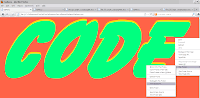
CHROME: Chrome does excellently while giving more screen space when the screen is not maximized using the F11-Fullscreen key. Chrome displays the symbol fonts really well and some of the random designs make the images look really awesome.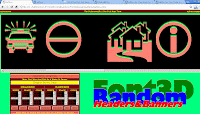 Of the following six, look out especially for the webdings and wingdings fonts[Wingdings, webdings, presswriter symbols, mt extra, ms reference specialty, ms outlook].
2.MOUSEOVER ON "HEADER#" LABELS FOR FONT NAME
When you are viewing the list of 100 headers or banners, remember to mouseover the "HEADER#" label to the right of the yellow text box on top left which brings up the name of the font face used in that design.
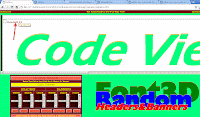 3.POPUPS
Remember to enable popups so you can use the "POPUP" button on top of every 100 designs. Be warned that your text/phrase is replaced with the default text when you use the "BACK" button next to the "POPUP" button or the "BACK" button of the browser. [Tip:Select and save the input string as soon as you type it so you can just paste it after pressing the BACK button]
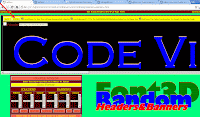
4.SPACE CHARACTER
When you scroll down the 100 headers of banners and select the code from the yellow textboxes on the top left of every design for use in web pages, replace the
SPACE character[" "] with [ ] without the square brackets if required.
Ex. Good Morning
5.DASH CHARACTER
Avoid using hiphens[dashes] but if needed you can, when you use Font3dRandom yellow text input box and also when you use the generated code from yellow text area on the top left of every design, use a space character before and after the hiphen[dash] character[-] if required.
Ex. Tap - A - Header
INSTALL AND UNINSTALL
DOWNLOAD
Download Font3dRandom.zip from HERE
INSTALL
Extract the contents from the zip file above. Run
Install_Font3dRandom.bat to install Font3dRandom at
c:\sqlhtm\Font3dRandom.
UNINSTALL
Run UnInstall_Font3dRandom.bat to uninstall Font3dRandom.


 3/31/2014 03:49:00 AM
 Jsc Jwhat Jerome Christopher
, Posted in
DIY
,
Download This
,
Font Tools
,
Food for thought
,
Shell Scripts
,
Sqlhtm Tools
,
Sqlhtm Websites
,
Tiny tools
,
Tips'nTricks
,
Top Tweets
,
Web search tools
,
Web Tools
,
wordart
Jsc Jwhat Jerome Christopher
, Posted in
DIY
,
Download This
,
Font Tools
,
Food for thought
,
Shell Scripts
,
Sqlhtm Tools
,
Sqlhtm Websites
,
Tiny tools
,
Tips'nTricks
,
Top Tweets
,
Web search tools
,
Web Tools
,
wordart




 Font3dTemplates Slideshow. You Must See This.


